01 Grid
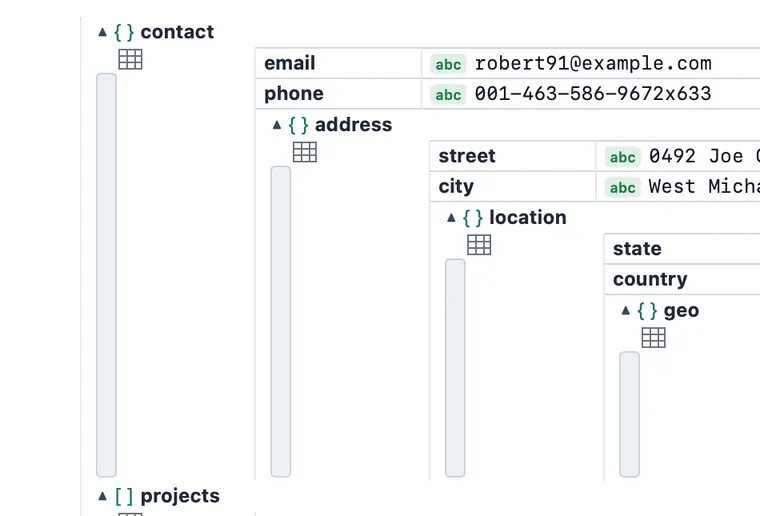
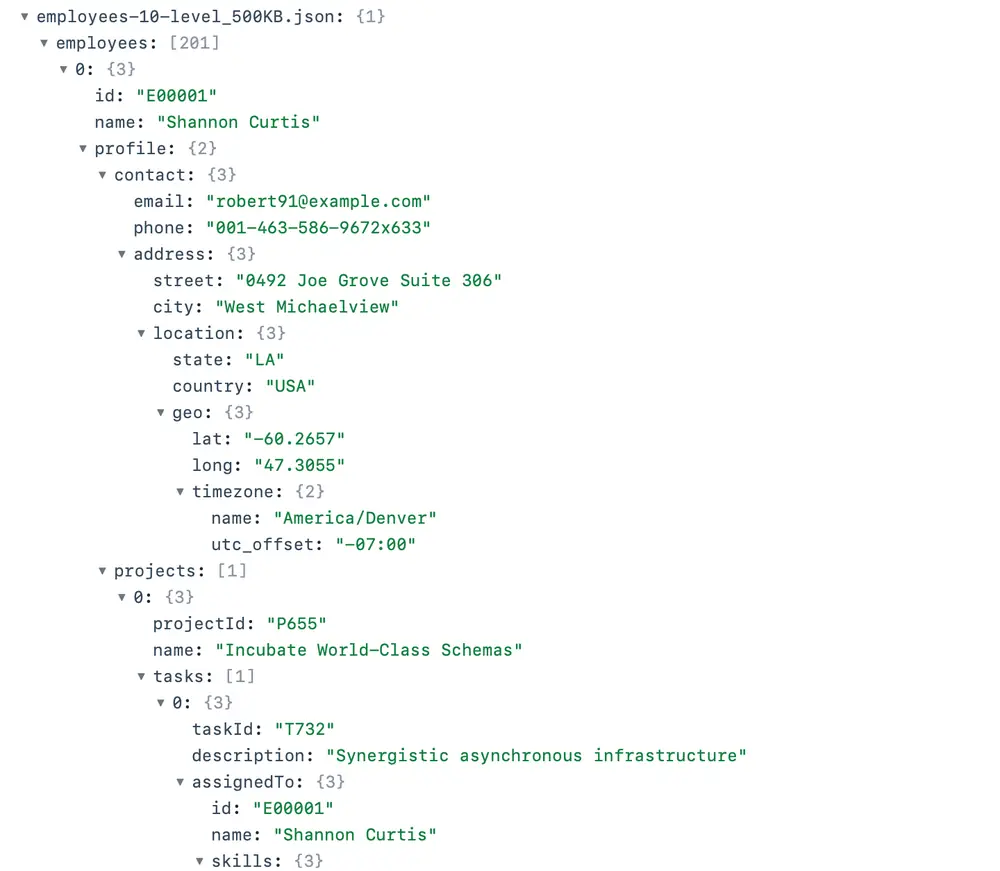
Nested grid rendering
Structure shows through cell containment, not runaway indentation. Expand any node in place; 1k-row chunking keeps huge arrays fluid.
02 Flat
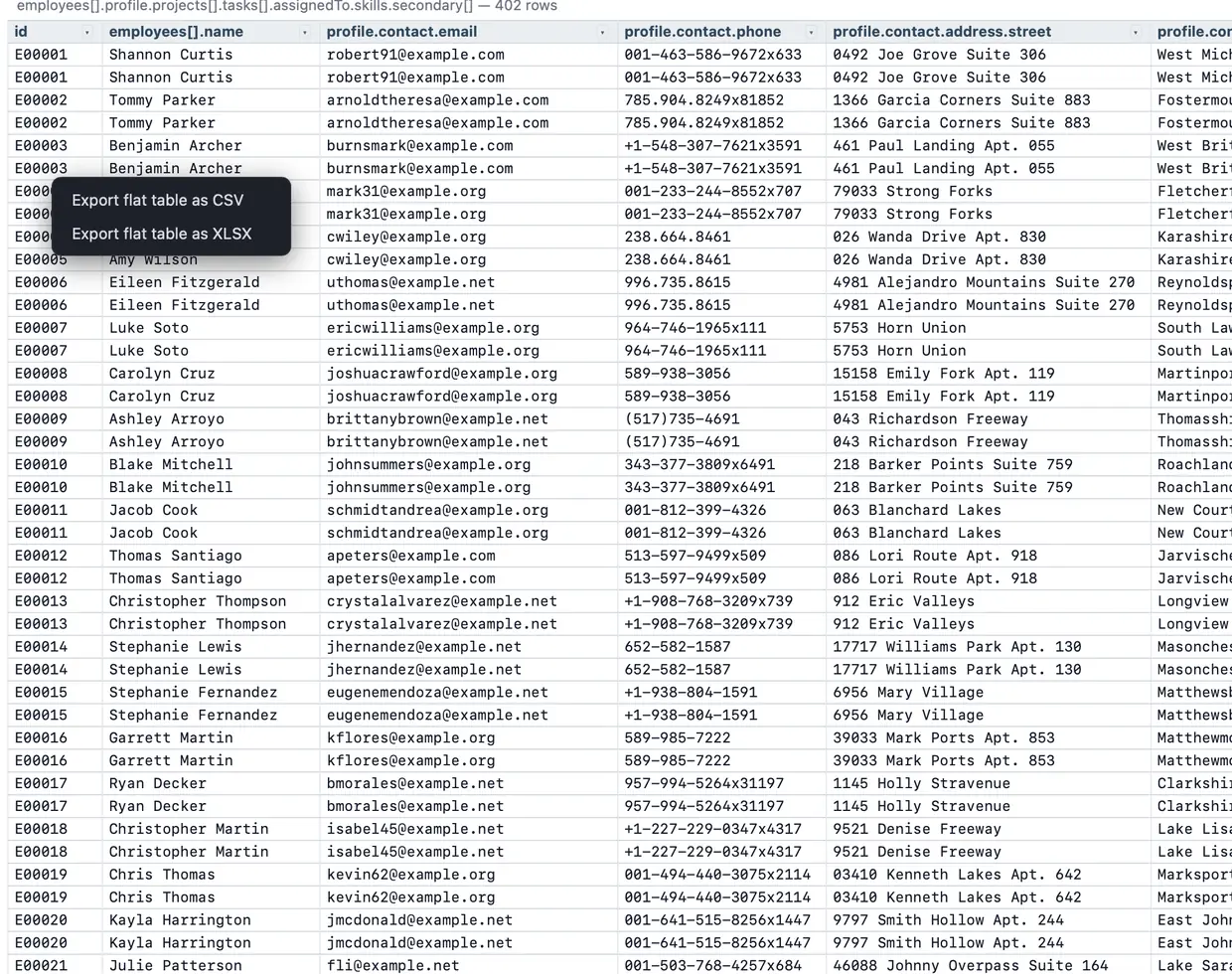
Flat view
One click flattens any nesting into a single spreadsheet: every leaf becomes a column (user.address.city), arrays expand to rows. Query it like any table.
![JSON Analyzer's flat view: every nested leaf has become its own column, with dotted header names like employees[].name and profile.contact.email, and an export menu offering CSV and XLSX.](/assets/flatcard-Uay_U3Vc.webp)
03 Query
Structural queries
A documented JSONPath subset. $.rows[?(@.id>3)] filters a table to matching rows in place, and composes with sort, filters and editing.
![JSON Analyzer's query bar running $.employees[*].profile.contact.email, with every matching email cell highlighted in the grid below.](/assets/query-card-ZM6gFR2R.webp)
04 Ask
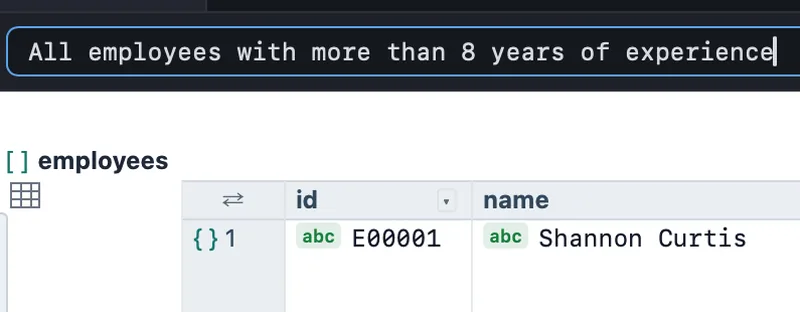
Ask in plain English
Type what you want; the app writes the query. “Explain this JSON” summarizes an unfamiliar file's shape. Optional, uses your own Anthropic key, and you preview every request before it's sent.
05 Filter
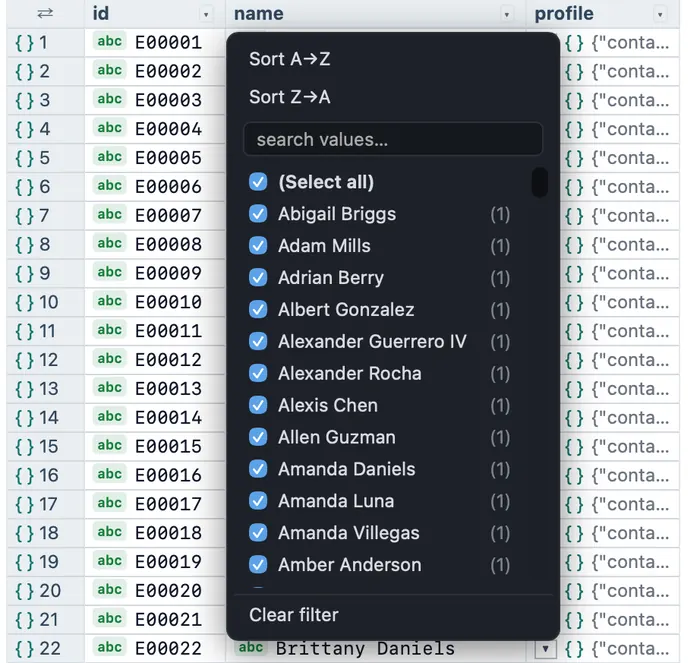
Excel-style column filters
Per-column value checklist with live counts, funnel indicators, and visible/total tallies. Column profiling on header hover: distinct, min, max, null share.
06 Export
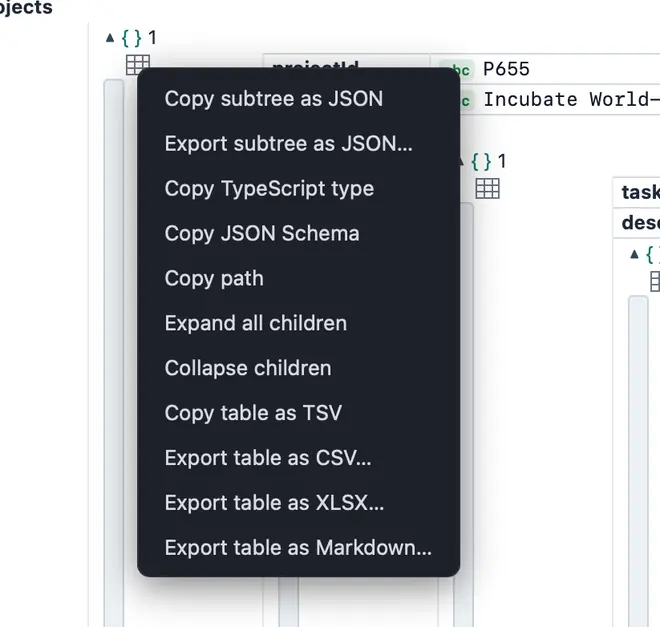
CSV · XLSX · Markdown · JSON
A real .xlsx with typed numeric cells. No dependency, no upload: what you see filtered on screen is exactly what lands in the file.
07 Edit
Byte-fidelity editing
Edit scalars in place with type auto-detection and undo/redo. Save is byte-minimal: untouched bytes stay byte-identical to the original.
08 Schema
Validate & infer types
Check a document against a JSON Schema with inline errors on the exact cells. Going the other way, copy an inferred TypeScript type or JSON Schema from any file.
09 Tabs
Multi-file tabs
Compare an API response against yesterday's fixture side by side. Each tab keeps its own view, filters, query, and undo history.
For developers debugging API dumps · QA reading fixtures · support engineers · data analysts

![The JSONPath the app wrote from that question, $.employees[?(@.profile.projects[*].tasks[*].assignedTo.skills.experience.years > 8)], with its 54 matching rows highlighted in the grid.](/assets/query-Cm8iqNIs.webp)